 ZapDTF Printing
 2026-01-19
 3 min
3 min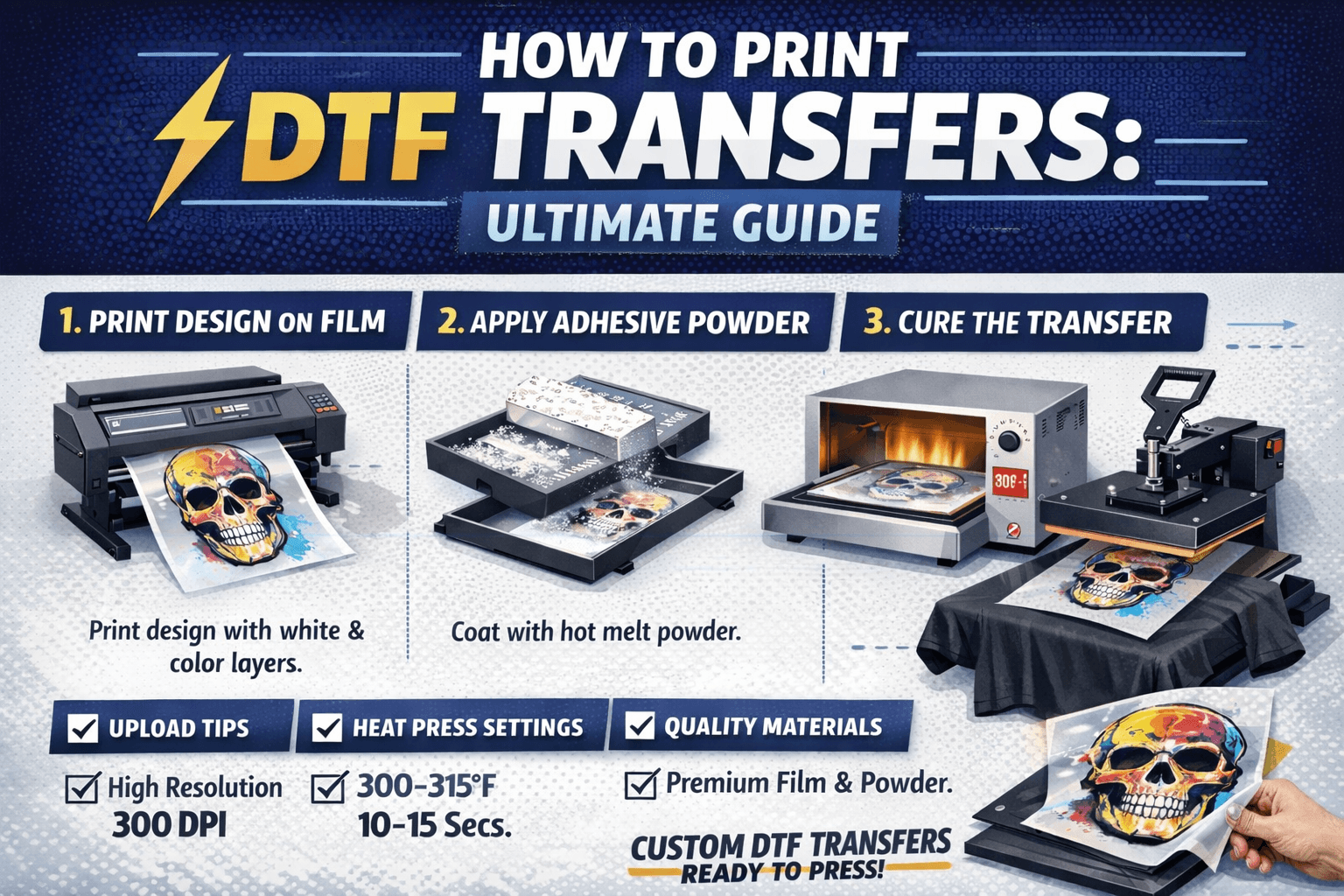
Direct transfer film printing has become one of the most reliable and flexible apparel decoration methods in 2026. From small clothing brands to large print shops, businesses now rely on DTF transfer printing for its vibrant colors, fabric versatility and fast turnaround.
What Is DTF Transfer Printing?
DTF transfer printing is a process where a design is printed onto a special PET film, coated with hot-melt adhesive powder, cured and then heat-pressed onto fabric. Unlike screen printing, direct transfer film printing does not require screens or color separations, making it ideal for short runs, full-color designs and custom orders.
Why businesses choose DTF:
- Works on cotton, polyester, blends and performance fabrics
- Supports complex, multi-color artwork
- Ideal for custom DTF transfers ready to press
- No minimum order requirements
Preparing Your Artwork for DTF Printing
Upload Image for DTF Transfer: File Requirements
Before you upload your design, it must be prepared correctly. Poor file quality is one of the main reasons DTF prints fail.
Recommended file guidelines:
- Resolution: 300 DPI
- Color mode: CMYK or RGB (printer profile dependent)
- Transparent background (PNG preferred)
- No unnecessary shadows or compression
When customers ask about upload image resolution for DTF transfer, 300 DPI at final print size is the safest standard for sharp results.
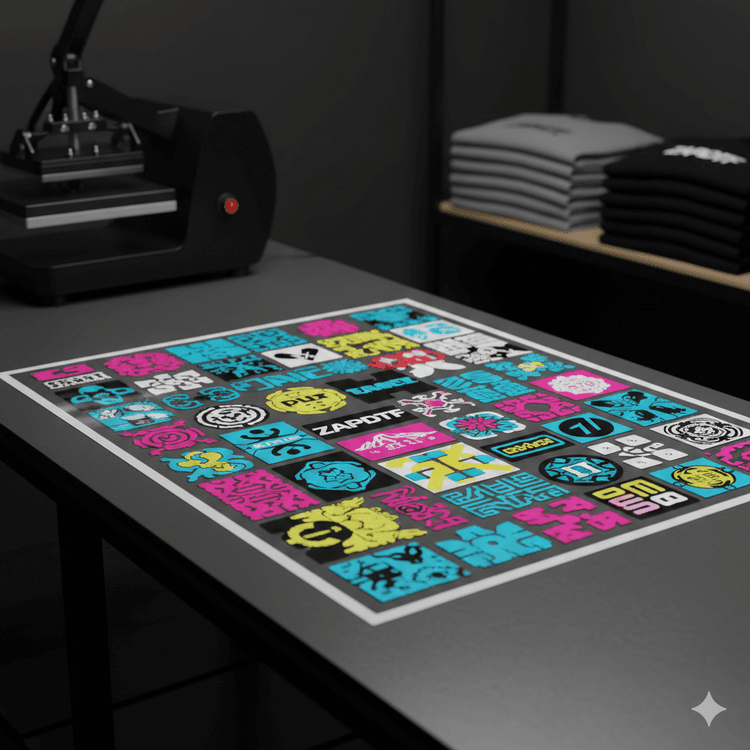
Upload DTF Sheet for Printing (Gang Sheets Explained)
A DTF gang sheet allows you to place multiple designs on one sheet to maximize space and reduce costs. When you upload DTF sheet for printing, ensure:
- Designs are properly spaced
- No overlapping artwork
- Correct final dimensions
- File is mirrored before submission
Gang sheets are ideal for brands producing multiple logos, sizes or variations in one order.
Step-by-Step: How DTF Transfers Are Printed
1. Printing on DTF Film
The design is printed onto the coated side of the DTF film using DTF-compatible inks. A white ink layer is printed first, followed by color layers to ensure opacity and brightness especially on dark garments.
This printing stage defines the quality of the final DTF transfer application for printing.
2. Applying Adhesive Powder
While the ink is still wet, hot-melt adhesive powder is evenly applied over the printed area. Excess powder is shaken off to avoid rough textures or over-bonding.
3. Curing the Transfer
The powdered design is cured using a heat press or curing oven at approximately 275–300°F (135–150°C) until the adhesive melts and turns glossy. This step prepares the transfer for pressing and ensures durability.
DTF Transfer Press Instructions
Correct pressing is essential for wash durability and comfort.
DTF Heat Press Instructions
Recommended settings:
- Temperature: 300–315°F (150–160°C)
- Pressure: Medium to firm
- Press time: 10–15 seconds
Pressing Steps
- Pre-press the garment for 5–10 seconds to remove moisture
- Place the transfer face-down on the garment
- Apply heat and pressure
- Let the garment cool completely
- Cold peel the film
- Post-press for 5–10 seconds for maximum durability
These DTF transfer press instructions help ensure the design bonds properly and resists cracking or peeling.
Cold Peel vs Hot Peel (What Works Best?)
Most professional printers prefer cold peel DTF transfers because they:
- Produce sharper edges
- Reduce film lifting
- Improve long-term adhesion
Always follow the specific DTF heat press instructions provided with your transfers for best results.
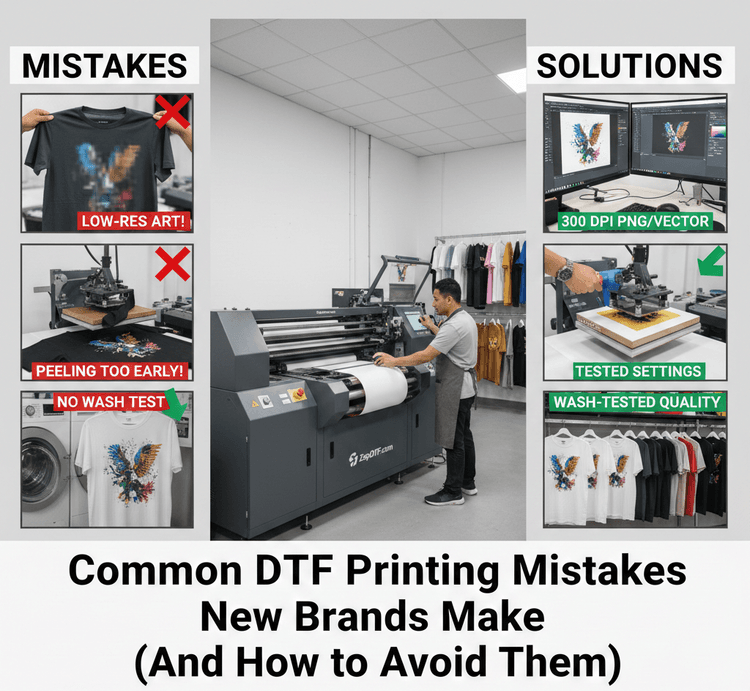
Common DTF Printing Mistakes (And How to Avoid Them)
Low Durability After Washing
- Insufficient pressure
- Incomplete curing
- Skipping post-press
Stiff or Plastic Feel
- Excessive white ink
- Low-quality adhesive powder
- Over-curing
Faded or Blurry Prints
- Incorrect upload image resolution for DTF transfer
- Low-quality source files
- Compression during upload
Why Custom DTF Transfers Ready to Press Save Time
Ordering custom DTF transfers ready to press eliminates the need for:
- Printing equipment
- Ink maintenance
- Powder handling
- Curing setups
You simply upload your artwork, follow the recommended DTF transfer application for printing and press onto garments on demand.
This is why many apparel brands now outsource printing while keeping production in-house.
Final Thoughts
DTF printing has redefined how custom apparel is produced. With proper artwork setup, correct DTF transfer printing methods and precise pressing techniques, you can achieve vibrant, flexible and long-lasting prints on nearly any fabric.
Whether you are uploading a single design or a full gang sheet, following professional DTF transfer press instructions ensures consistent results every time.
At ZapDTF, we specialize in high-quality direct transfer film printing designed for real-world production helping brands, creators and print shops scale faster with confidence.